Your station's back office, done before you wake up.
Fuel, inside sales, cash, tanks, fuel invoices, payroll hours and tobacco scan files, pulled straight from your register every night and waiting on your phone in the morning. Nobody types it in.
One visit to fit a small box beside the register. Nothing charged until your numbers arrive. No contract.
Stop driving to the store to find out how yesterday went.
Yesterday is already counted
Gallons by grade, inside sales by department, cards, cash and the day's short or over. It arrives when the register closes the day.
Reports to type in
The numbers come from the register's own reports, so they match the register to the cent. Your time goes on the store, not on data entry.
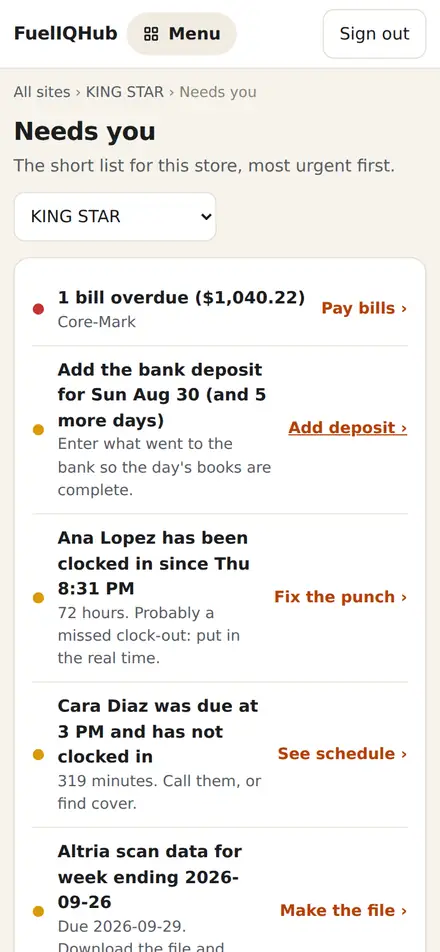
List of what needs you
Missing deposits, bills due, fuel loads with no invoice, a clerk who never clocked out, a scan file due Tuesday. Short, specific, in order.
Everything a station back office does, without the paperwork.
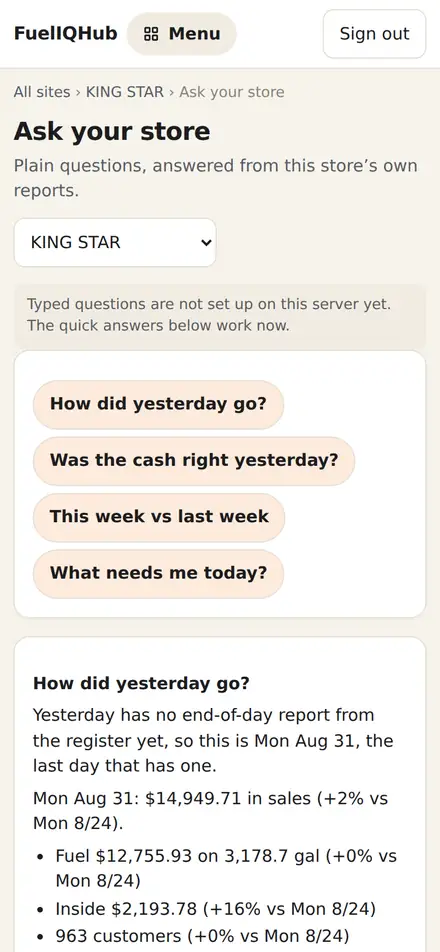
These are real screens from the app, with sample numbers.
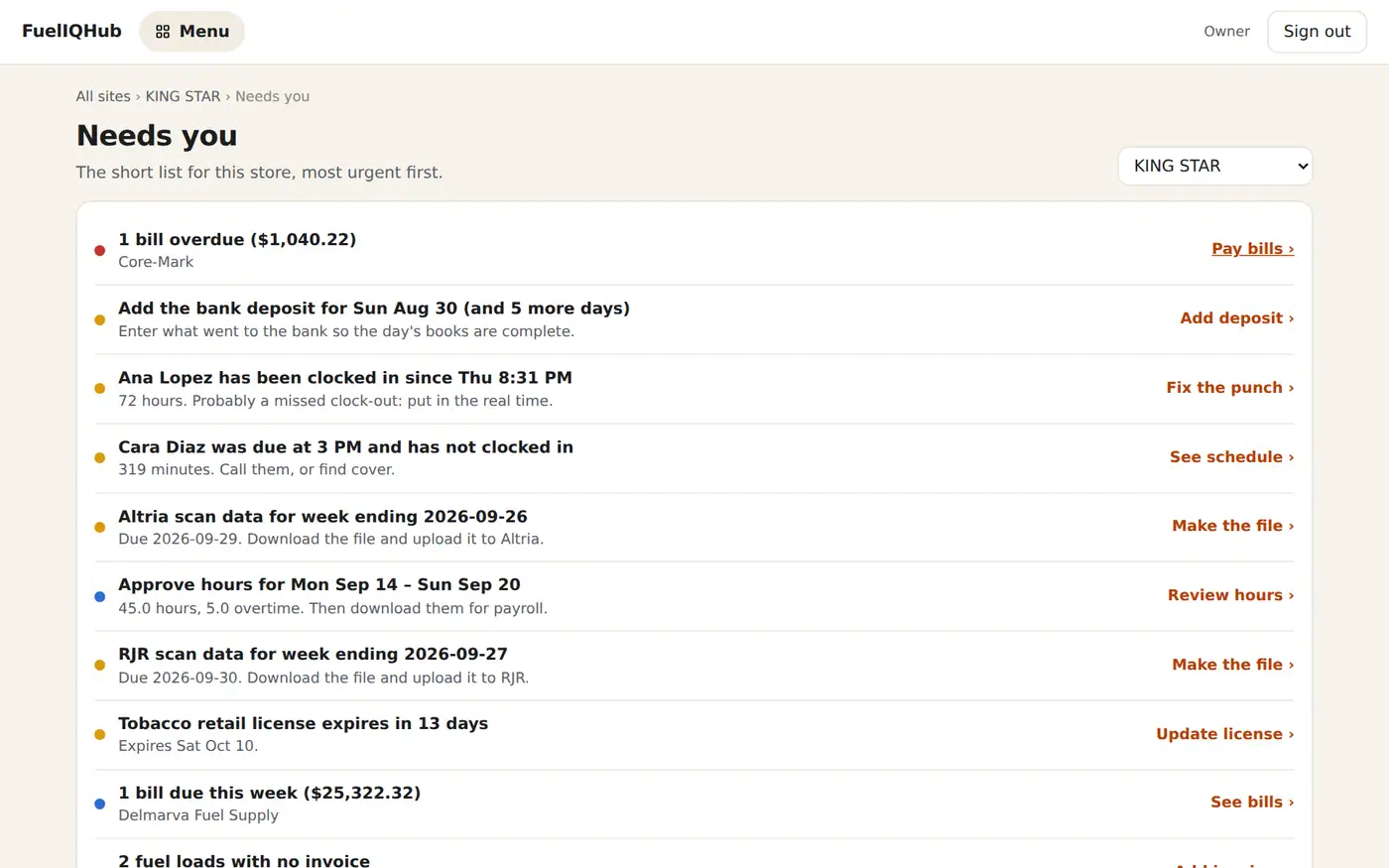
One short list, every morning
- Only what is actually wrong. A day with no deposit, a bill past due, a license expiring in 15 days.
- One tap to fix it. Every line opens the screen where you sort it out.
- Every store in one place. Owners with several stations see them all together.
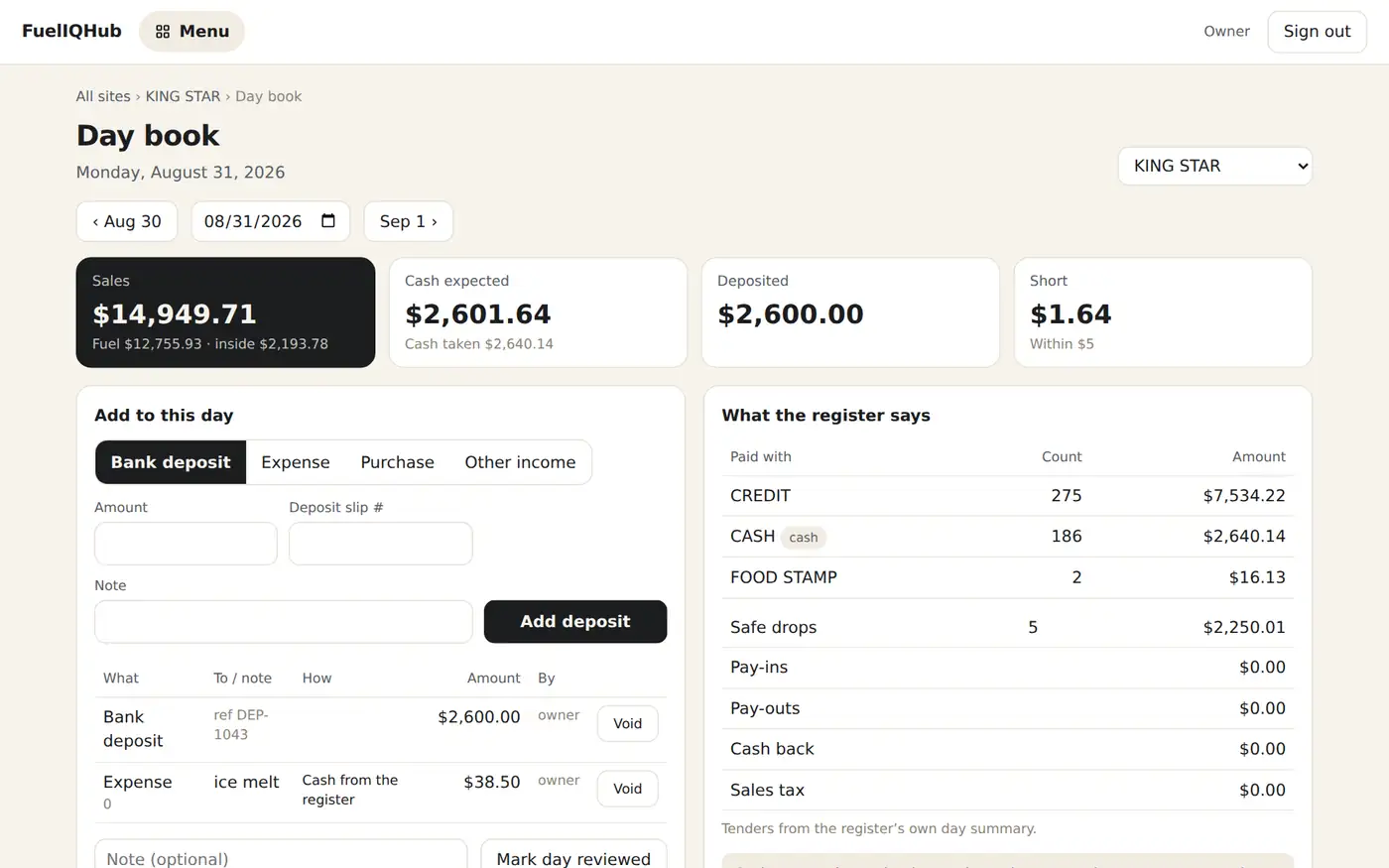
The day book fills itself
- What the register took, by tender. Credit, cash, food stamps, safe drops, pay-outs.
- Enter the deposit, see short or over. To the cent, day after day.
- Expenses and purchases from the drawer. Logged once, counted in cash expected.
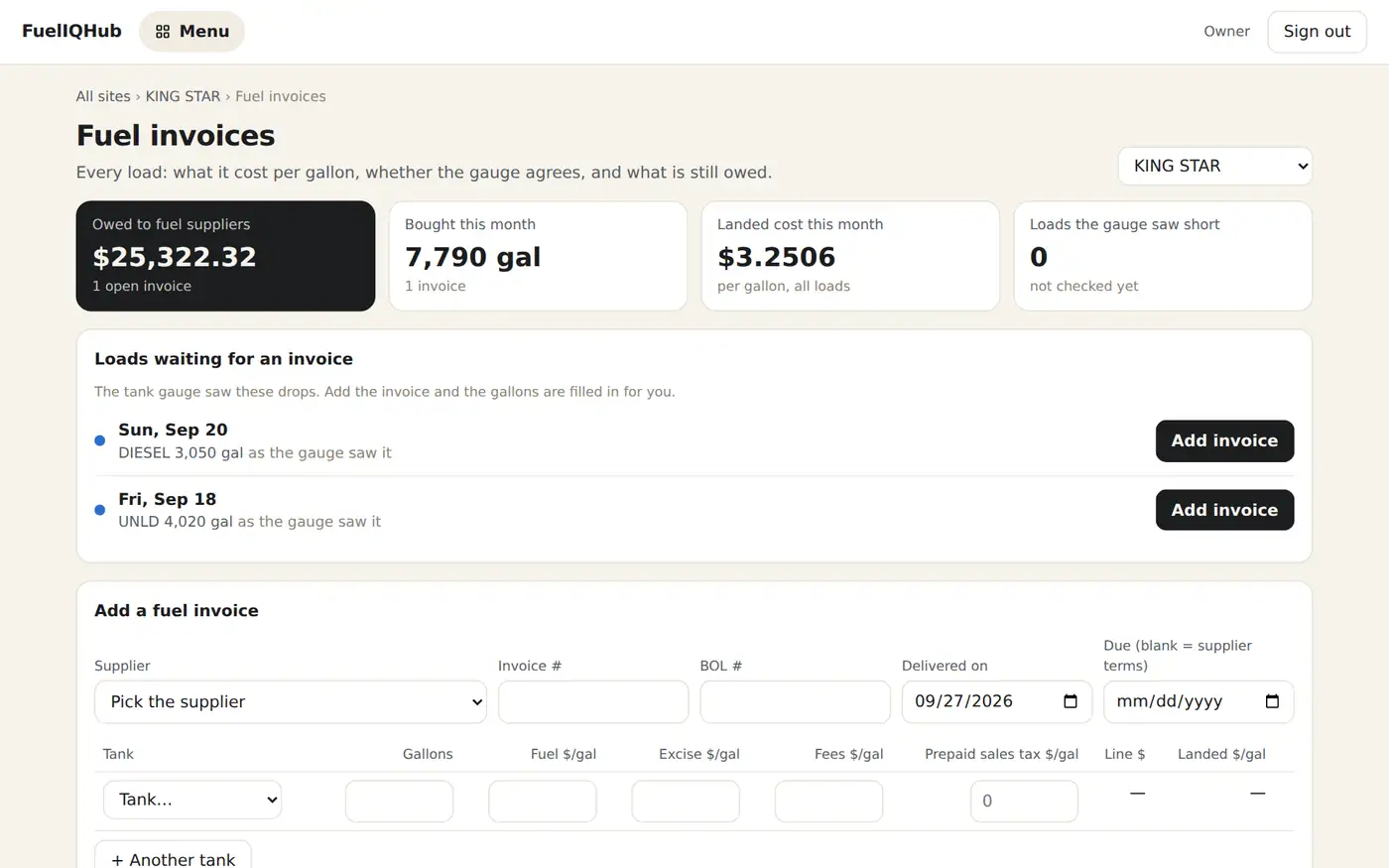
Every load, checked against the tank
- Landed cost per gallon. Fuel, excise, fees and freight in one number.
- Short deliveries flagged. The invoice against what the tank gauge actually saw.
- Loads with no invoice. The gauge saw the drop; the gallons are filled in for you.
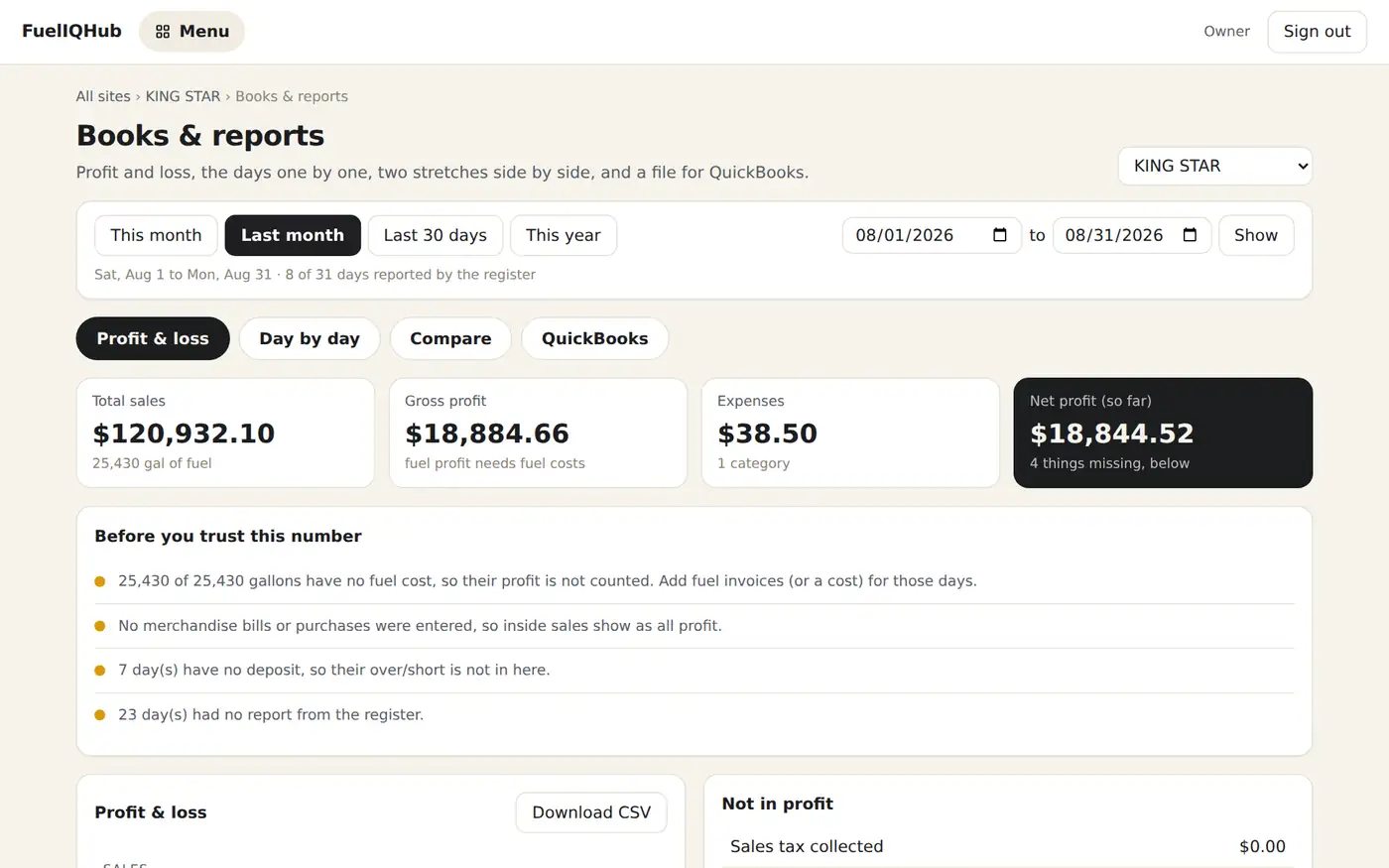
Profit and loss without a bookkeeper chasing you
- Any month or range. Fuel profit from real invoice costs, inside sales, expenses, net.
- Says what is missing. Days with no deposit, fuel with no cost, before you trust the number.
- One file for QuickBooks. Every day as balanced journal entries.
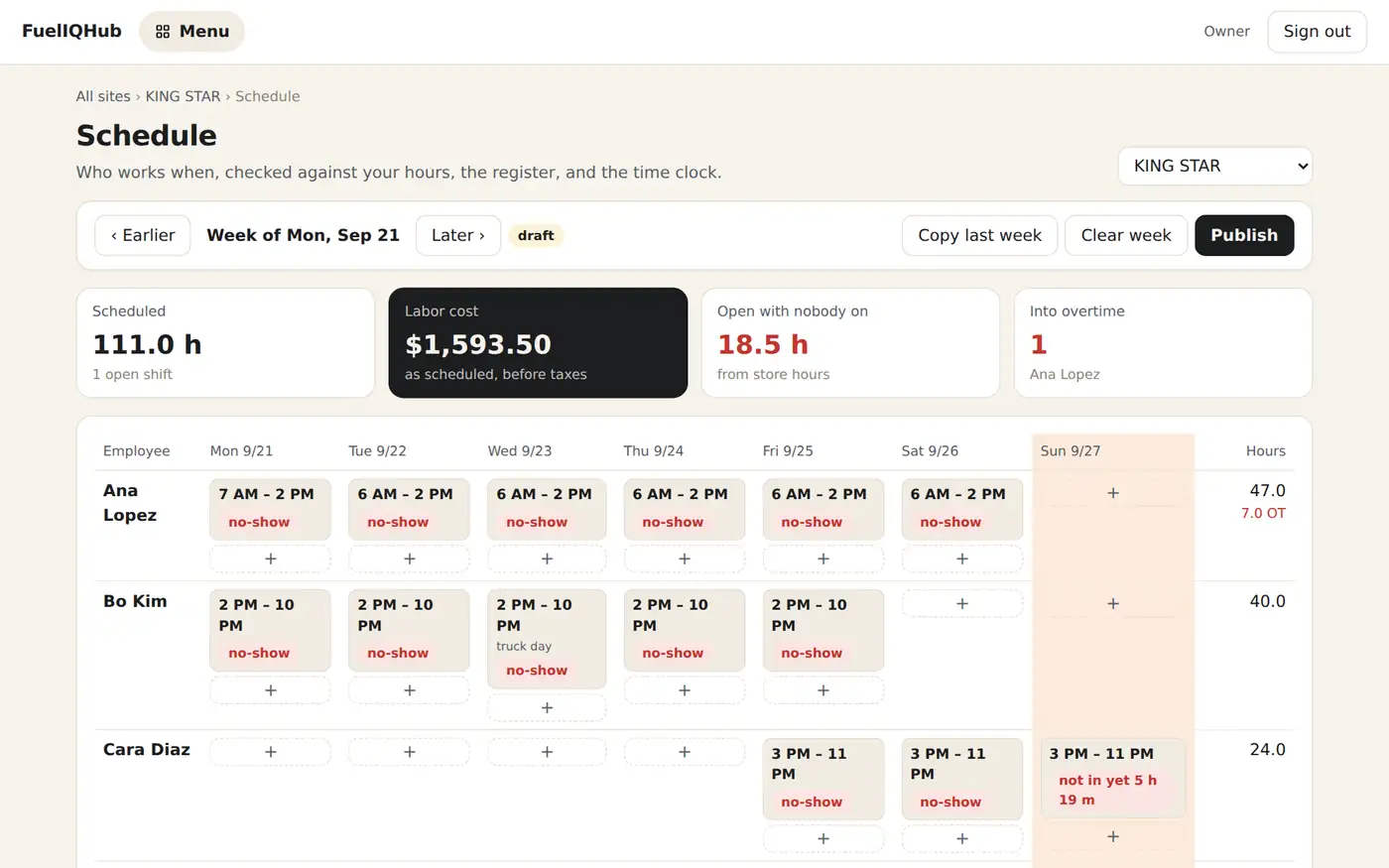
Who works when, and who actually came in
- Week grid, copy last week, publish. Staff see their shifts on their phone.
- Busy hours from your own sales. See the hours the register is open with nobody on.
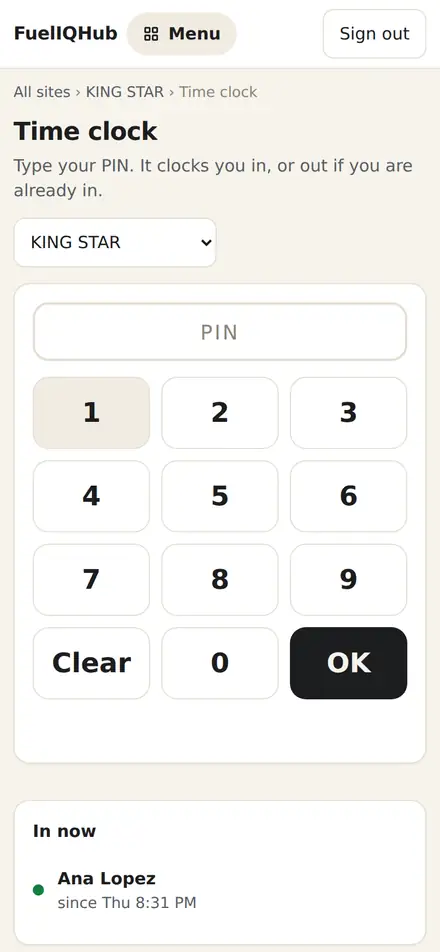
- PIN time clock and payroll hours. Late, no-show and overtime flagged; a file for Gusto or your payroll.
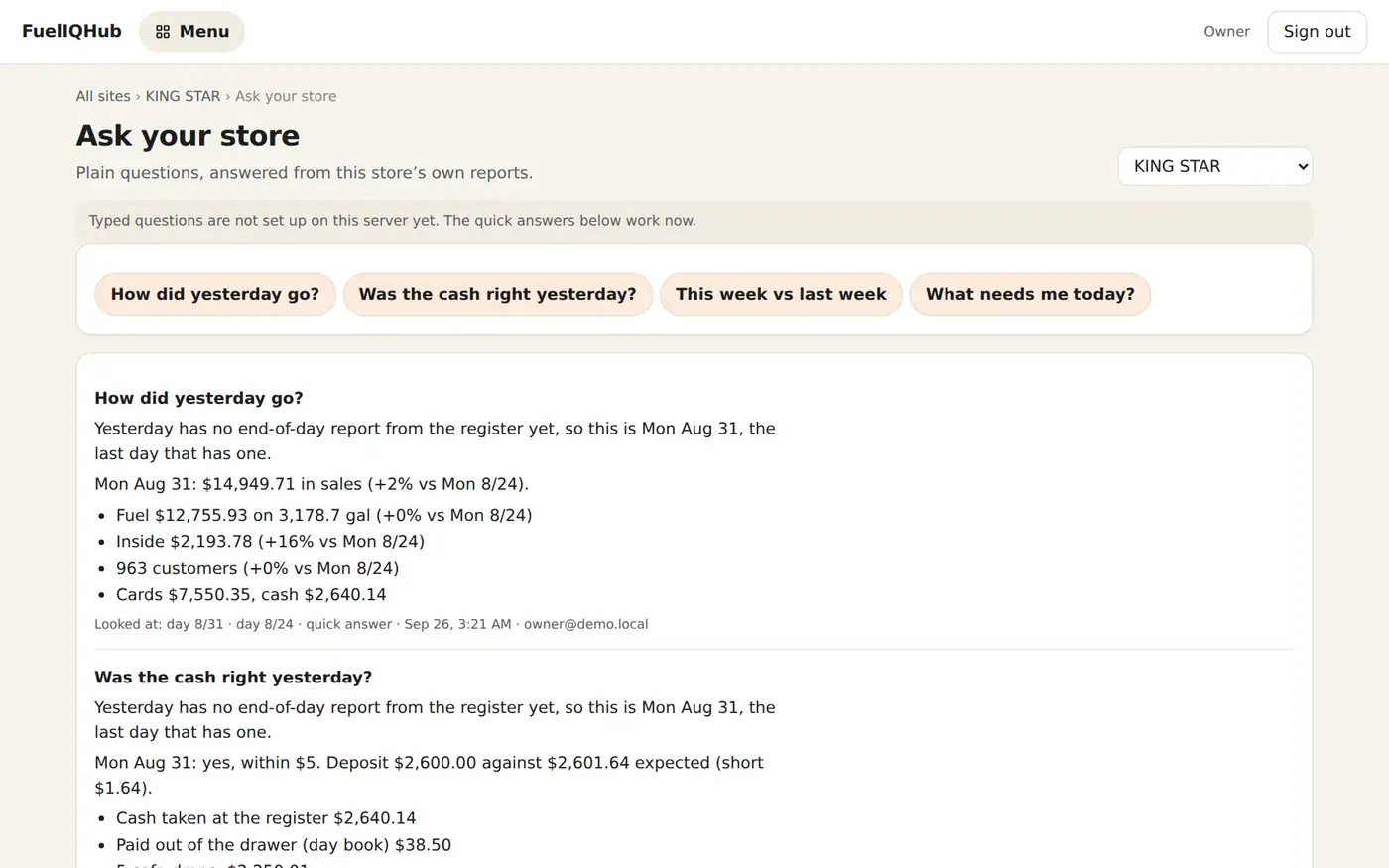
Ask in plain words
- “Was the cash right yesterday?” Answered from your own reports, with the days it looked at.
- Quick answers work for everyone. Typed questions can be switched on by the owner.
- It can read, never change. Nothing at the register is touched.
Caught the day they happen, not at the end of the month.
Fuel that left without a sale
Start minus end minus dispensed, every shift, per tank. A leak, a meter out of calibration or a siphon all show up as a number to go and look at.
Short fuel deliveries
Each invoice is checked against the rise the tank gauge recorded. More than 2% short is flagged until someone checks it.
Cash that never reached the bank
Cash expected from the register against the deposit you enter, every day, with a list of the days nobody deposited.
Tobacco rebates left on the table
Weekly Altria and RJR scan files built from your sales, plus how much tobacco was keyed on a department button instead of scanned.
Voids, refunds and no-sales
By cashier and by day, from the register's own transaction log, with any sale findable for a chargeback by time, amount or card last four.
A register that stops reporting
If the store goes quiet or a day does not close, you hear about it that day. Every night the register's setup is copied too, in case it ever has to be rebuilt.
A small box, one visit, and your register keeps working as it always has.
Book the install
Tell us the station below. We call you back to pick a time that suits the store.
A box goes in beside the register
A certified Verifone and Gilbarco technician fits it during trading hours. The pumps keep selling.
It reads, never writes
It asks the Commander for the reports it already makes and sends them out over an encrypted connection. Nothing comes back in.
Your first morning
Ninety days of history are pulled in behind it, so trends and comparisons are there from day one.
An app for you and your staff, no app store needed.
Open it in your phone's browser and tap “Add to Home Screen”. It opens like any app and still shows the last numbers when the signal drops.
- Owners see every store, the books and the short list.
- Clerks clock in with a PIN, see their shifts, count lottery and log the day book.
- Your fuel supplier or bookkeeper gets their own login and sees only what you share.
Built by a register technician who has to answer for it.
The short version is below. The whole of it, in plain words, is on the security page.
Pay for what your station is. Month to month.
Fuel + store station
Per station a month, everything in it: fuel, tanks, inside sales, items, lottery, scan files, payments lookup, register backup and the whole back office.
Fuel-only station
Per station a month. Fuel by grade, tanks, deliveries, shifts, margin, payments lookup, register backup and the back office.
Until it's fitted
No setup fee, no contract, nothing charged until your first real numbers arrive. Pay online by card; cancel from the app.
What owners ask us first
Does it change anything on my register?
No. It asks the Commander for the reports it already produces, the same ones you print at day close. Your prices, items, taxes and settings are never touched. The one thing it can change is its own login password on the Commander, which the Commander makes it change every 30 days.
What do I need at the store?
An internet connection the register already uses and a free network port. We bring a small box the size of a paperback, plug it in beside the register and leave. No new register, no new card machine.
What if the internet goes down?
The register keeps its own reports. When the connection comes back, the box catches up on the days it missed, so nothing is lost.
I only sell fuel. Is it for me?
Yes. A fuel-only station pays only for the fuel packages and never sees store pages it has no use for.
I have several stations.
One login for all of them, one short list across them, and any store in two taps. Each station is priced on its own, so a new one is simply added.
Can my manager, bookkeeper or fuel supplier use it?
Yes, each with their own login. Staff see the store floor. A bookkeeper sees the books. A fuel supplier sees fuel and tanks only, for the stations you share, and you can take that away in one tap.
Is there a contract?
No. You pay month to month online by card and can cancel from the app. Your data is yours: download any day, month or the lot as PDF, Excel or CSV.
Book an install
Tell us about the station. We call you back to arrange the visit. Nothing is charged, and nothing is switched on, until the box is fitted and sending real numbers.
See your own numbers tomorrow morning.
One visit. No contract. Nothing charged until it works.